
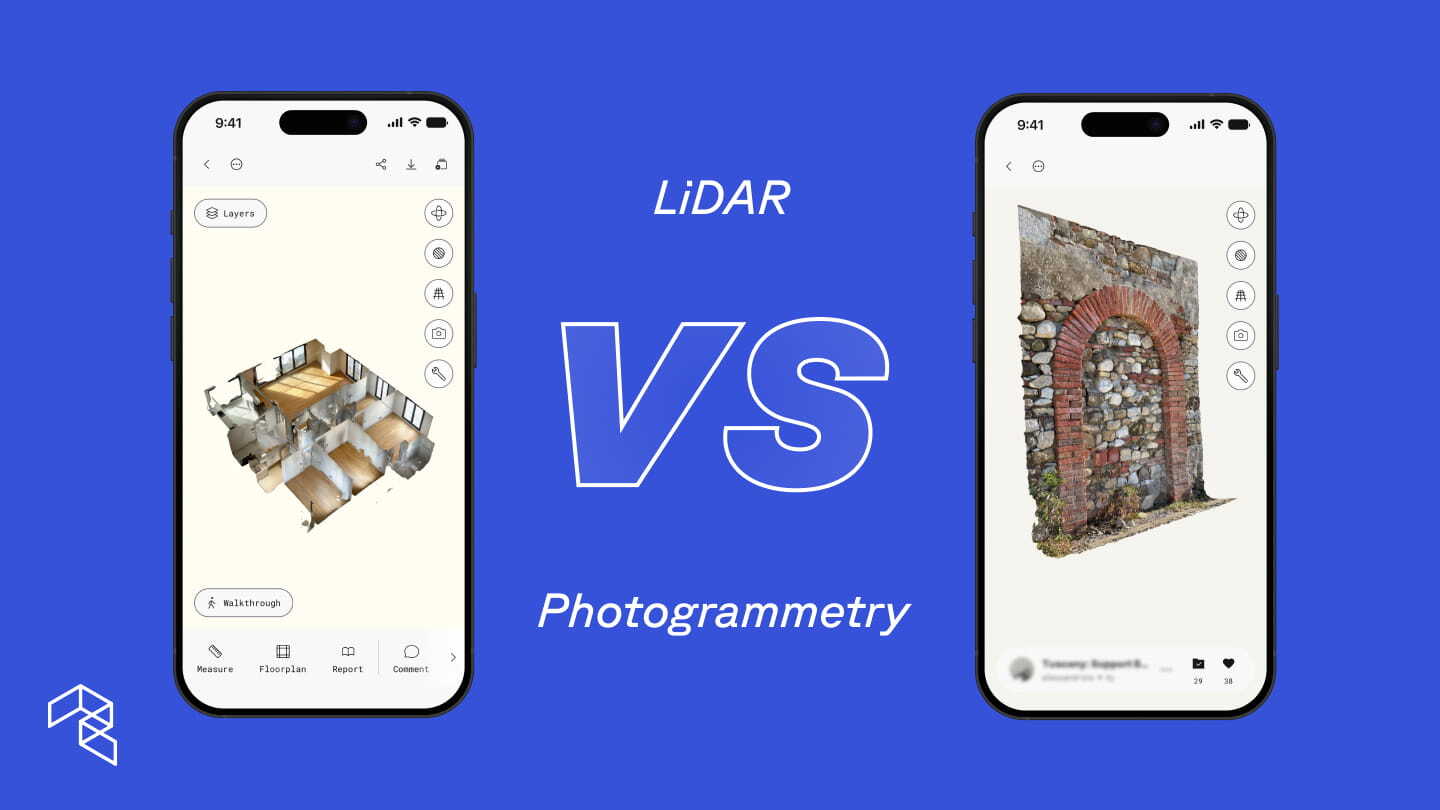
LiDAR and photogrammetry are the two foundational technologies behind 3D scanning. LiDAR uses laser pulses to measure distance, combined with photos to capture surface detail. Photogrammetry only uses multiple photographs to reconstruct 3D models. A third approach, AI-powered spatial capture, now uses computer vision and machine learning to infer 3D geometry from multiple photographs captured on a standard camera. Understanding all three is the fastest way to get better results from every scan.
If you carry an iPhone Pro or iPad Pro, you already have a LiDAR sensor. LiDAR, short for Light Detection and Ranging, sends pulses of infrared light and measures how long each takes to return, calculating the precise distance to every surface it reaches. The device also captures photos to map color and texture onto that geometry. NASA uses LiDAR to map planetary terrain. Autonomous vehicles use it to navigate in real time. Apple miniaturized the same technology and has shipped it in every Pro device since 2020.
Photogrammetry takes a different approach. It reconstructs 3D geometry and surface detail by analyzing overlapping photos. Any camera can supply the photos, from a smartphone to a DSLR to a drone, and mobile apps process them into detailed 3D models.
The broader 3D scanning landscape
For decades, 3D scanning required dedicated hardware. Terrestrial laser scanners and professional photogrammetry rigs deliver survey-grade results, but at $10,000 to $100,000 or more, plus trained operators and desktop post-processing. These tools still serve organizations that need the highest precision at the largest scale. What has changed is that the same core technologies now run on the devices professionals already carry.
One app, four methods
Polycam brings LiDAR, photogrammetry, Gaussian Splat, and non-LiDAR 3D spatial capture into a single app.
LiDAR spatial capture uses the laser sensor on iPhone Pro and iPad Pro for fast, dimensionally accurate 3D scanning with real-time mesh generation. Use Space Mode to move through a space and see the model take shape on screen. LiDAR is also the only capture method that currently generates instant 2D and 3D floor plans with full measurement and spatial data in addition to the 3D mesh.
Photogrammetry reconstructs detailed 3D models from overlapping photos. Object Mode uses photogrammetry to capture individual items, equipment, and surfaces with higher mesh quality than LiDAR captures. Drone uploads use photogrammetry to generate 3D site models and orthomosaic maps from aerial footage.
Gaussian Splats offer an additional processing option when capturing with Object Mode. Instead of building a traditional mesh, a Gaussian Splat is a real-time photorealistic 3D rendering technique that reconstructs scenes from multiple images by optimizing millions of small, semi-transparent, anisotropic 3D ellipsoids (Gaussians). Think of it like a point cloud where each point carries multiple viewpoints from your capture. The result is closer to a 3D photograph than a traditional model. Gaussian Splats do not produce a mesh, but when photorealistic rendering is the goal, they deliver a level of visual fidelity that mesh-based methods cannot match.
Non-LiDAR 3D spatial capture is Polycam’s newest method. Any non-LiDAR iPhone 13 or newer can scan a space with a single pass. The on-device AI uses computer vision and machine learning to infer spatial depth from photographs, providing real-time visual feedback during the scan. No internet connection required.
More than half of iPhones sold globally are non-Pro models. By enabling spatial capture on standard devices, Polycam opened 3D scanning to the rest of the team.
The simple way to think about it: spaces and objects
Open the Polycam app and the capture methods map directly to the interface.
Space Mode scans rooms, buildings, and environments using LiDAR on Pro devices or non-LiDAR 3D spatial capture on standard iPhones.
Object Mode uses photographs or video to scan individual items, equipment, and areas with high visual detail. Process as a mesh or Gaussian Splat.
Drone uploads feed into the photogrammetry or gaussian splat pipeline for large-scale aerial mapping.
Each method has strengths that extend beyond its default use case. Photogrammetry and Gaussian Splats deliver visual fidelity and scale to aerial coverage. Non-LiDAR 3D spatial capture puts 3D scanning in the hands of every team member with an iPhone. Knowing when to reach for each is what separates a team that scans from a team that scans well.
Key technical differences
When to reach for LiDAR
Instant floor plans and interactive design. LiDAR is the only capture method that currently generates 2D and 3D floor plans with full measurement and spatial data. After scanning, Polycam generates a floor plan in seconds using AI. The Floor Plan Editor then gives professionals full control: adding and repositioning walls, placing doors and windows, and testing layouts, with every change updating both the 2D plan and the 3D model in real time. A built-in library of 70+ objects, including furniture, fixtures, and structural elements, allows teams to plan and visualize spaces in both 2D and 3D simultaneously. This makes AI-generated floor plans the starting point of a professional design, not a static export. If your process depends on floor plans, LiDAR on a Pro device is the correct capture method.
Real-time validation on site. LiDAR shows the completed 3D mesh as you scan, so there is no guessing about coverage. You see the model take shape on screen as you capture the space. On a busy construction site or during a rapid restoration assessment, that real-time feedback confirms you captured every corner before you drive away. For teams billing by the hour or documenting dozens of properties after a storm, that confidence eliminates return trips.
Speed is the deliverable. A facility manager scanning a mechanical room during a routine service visit. A restoration team scoping damage across 40 units before the drying crew arrives. A contractor moving through a building ahead of a bid deadline. LiDAR produces a usable 3D model before you leave the site. When the schedule does not allow a second trip, LiDAR’s real-time capture changes how quickly a project moves from site visit to actionable plan.
Consistency across time. Construction progress documentation, facility condition assessments, and portfolio-wide property surveys all require repeatable results week over week or site after site. LiDAR produces consistent geometry regardless of lighting changes, seasonal conditions, or differences between operators. All three capture methods produce dimensionally accurate results, but when the goal is the tightest tolerances and the most reliable baseline for comparison over time, LiDAR on a Pro device is the preferred choice. This is especially true for MEP coordination and applications where measurement precision is critical.
When to reach for photogrammetry
Objects, details, and visual fidelity. Photogrammetry excels at capturing things with visual richness. A restoration contractor documenting custom millwork damaged in a fire, where every grain and char mark needs to appear in the insurance claim. An architect capturing as-built tile patterns and brass hardware so a renovation spec matches the original exactly. A mechanical component that needs to be modeled for replacement, with every bolt and weld visible. In Object Mode, you can capture with photos or video and choose how to process: photogrammetry for a detailed mesh, or Gaussian Splat when photorealistic rendering matters more. When the visual record is the deliverable, photogrammetry produces the fidelity that makes a 3D model persuasive to an adjuster, a client, or a review board.
Large-scale sites, indoors and out. Drone-based photogrammetry is the industry standard for site planning, topography, construction progress tracking, and environmental site surveys. A civil engineer mapping a 40-acre grading project before earthwork begins. A roofing contractor documenting hail damage across an entire commercial complex from the air. A facilities team flying a drone through a 200,000-square-foot distribution center to map the full floor layout. Drones cover vast areas more efficiently than handheld scanning, producing high-resolution orthomosaic maps and 3D site models. The same approach applies to large interior spaces: warehouses, manufacturing floors, convention centers, and hangars all benefit from aerial capture. AEC teams use drone photogrammetry for exterior documentation and switch to LiDAR for interior MEP coordination.
Know the conditions it needs. Photogrammetry works well in more environments than people assume, but it does need adequate lighting and enough surface texture for the software to find matching points between photos. A well-lit warehouse with painted equipment, labeled shelving, and floor markings has plenty of texture. A freshly drywalled room with no trim and uniform paint does not. Understanding that distinction before you scan saves time and prevents re-scans.
No LiDAR? No problem.
Non-LiDAR 3D spatial capture gives any iPhone 13 or newer the ability to scan a full space in 3D using only the standard camera. The on-device AI uses computer vision and machine learning to build a detailed model as you capture.
After scanning, users choose how to process: on-device for fast results anywhere, or cloud upload for maximum detail on larger or multi-level spaces. The output is a detailed 3D mesh model capturing surfaces, textures, and objects. The experience is closer to a LiDAR scan than a traditional photo-based reconstruction: move through the space, and the app builds the model.
Where it excels and where to reach for LiDAR instead. Non-LiDAR 3D spatial capture produces dimensionally accurate interior models with good texture detail, more than sufficient for visualization, documentation, and measurements in most interior scenarios. It currently falls short of LiDAR in two areas: the tightest measurement tolerances for MEP coordination, and performance in very dark or completely textureless environments. If you are scanning a pitch-black crawlspace or need sub-inch precision for pipe routing, LiDAR is the right tool. For property inspections, facility condition reports, site documentation, and interior visualization, AI spatial capture delivers.
The real shift is what happens when every person on the team can capture. A restoration company with 30 adjusters does not need 30 Pro devices with LiDAR. Every adjuster documents claims on whatever phone they carry. A facilities team with mixed phones standardizes on one platform. Routine maintenance rounds generate 3D documentation automatically, instead of only when the person with the Pro phone is available. A general contractor requires subcontractors to scan site conditions before starting work. No special hardware purchase. No training beyond opening the app and capturing the space.
When capture is no longer bottlenecked by hardware, teams scan more sites, more often, with more context reaching decision-makers before resources get committed. That is a change in how work gets done, not just a new feature.
Same professional outputs, different inputs
A common misconception is that professional deliverables require LiDAR hardware. Polycam generates professional outputs from LiDAR scans, photogrammetry captures, and non-LiDAR 3D spatial capture. The specific outputs vary by method, and Polycam continues to expand what each method produces.
The hybrid approach: Why the best teams use all three
The most effective teams match the capture method to the moment.
A construction firm documents existing conditions with LiDAR during pre-construction for precise geometry and instant floor plans, then captures the completed space with photogrammetry for the client portfolio.
A facility management team flies drones through a distribution center to map the full floor plan, then sends technicians with standard iPhones to scan mechanical rooms using non-LiDAR 3D spatial capture during routine maintenance.
A restoration contractor scans a water-damaged property with LiDAR within hours of the loss to lock in measurements, then equips every adjuster on the team with non-LiDAR 3D spatial capture for ongoing documentation across the portfolio.
Scalability changes the math. Polycam equips an entire company with 3D capture for the cost of one specialized laser scanner.
AI turns raw scans into deliverables. Polycam’s AI Reports automatically generate PDF documents with floor area, wall area, and room-by-room measurements, ready for material ordering, estimates, and insurance documentation. Point cloud exports flow into CAD, BIM, and Revit. Virtual Walkthroughs let remote stakeholders move through the space as if they were on site. The capture method determines the visual and geometric character of the model. The professional outputs converge.
Polycam keeps all three methods in the same app and the same library. Toggle between them based on the job. Share with stakeholders through a web link, no app required on their end.
Start scanning
The fastest way to understand where mobile 3D scanning fits in your process is to capture a real site. Whether that site is an existing building ahead of renovation, a stream reach ahead of restoration design, or a rooftop ahead of storm season, a single scan shows how much context and clarity 3D documentation adds before more formal steps begin.
Pick the method that matches the site. If you are not sure, start with whatever phone you have.
Polycam Business includes LiDAR spatial capture, non-LiDAR 3D spatial capture, drone photogrammetry, advanced measurement tools, point cloud exports, Virtual Walkthroughs, shared team libraries, and AI-generated reports, all for $400 per year per user.