🐞 Bug fixes
- Fixed a bug that caused image exports to fail and show a "Something went wrong" error. Your images should now export without a hitch.
- Fixed issues in onboarding flows that prevented new users from completing the flow.
- Restored the Georeferenced LAZ Point Cloud export option for Business and Enterprise users.
- Fixed UI misalignment in Explore.


Walkthrough Mode now has it's own button
Virtual walkthrough is a key documentation feature, so we've updated the interface to make it easier to find and use. This update:
- Gives the feature its own dedicated space – Virtual walkthrough is now more prominent and easier to discover
- Keeps controls consistent – The main walkthrough interface stays in the same location, making it simpler to toggle in and out

General Updates
Capture library:
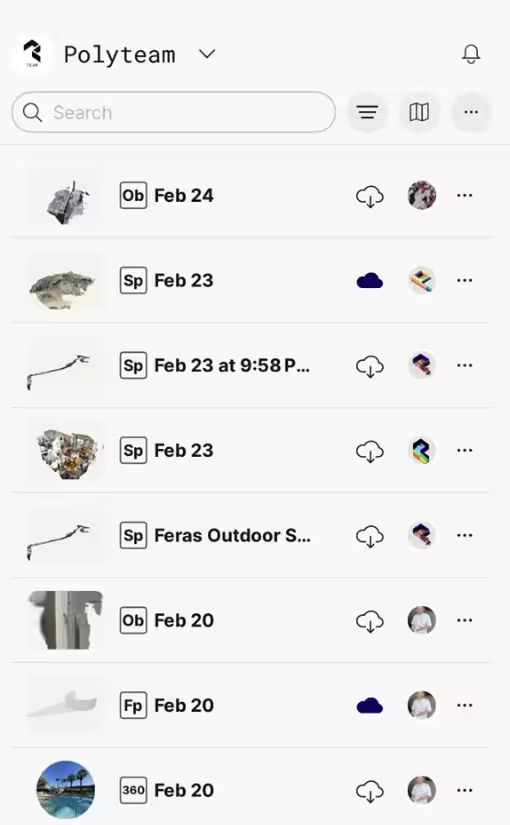
Library list view is now more compact
Captures:
Improved sync for capture images: Sync now automatically includes both project and walkthrough data for wider availability of capture images.
Floor plan editor:
Drag overlapping objects: Green arrows let you drag a selected object even when multiple objects overlap.
🐞 Bug fixes
General
- Fixed app settings for light/dark mode (iOS)
- Fixed Explore page responsiveness on larger screens (Web)
Capture
- Fixed capture upload failures and sync issues (iOS)
- Fixed flashlight unavailable in Space mode on some iPads (iOS)
Library
- Fixed "Ob" badge appearing instead of "Gs" (iOS, Android)
- Fixed capture card view being cut off on Library Map (iOS)
Exports
- Fixed crashes when exporting large captures (Web)
- Fixed inability to export using PointCloud options (Web)
Virtual Walkthrough
- Fixed sync notification displaying incorrectly for shared captures (Web, iOS)
- Fixed arrow keys not working after using arrow buttons (Web)
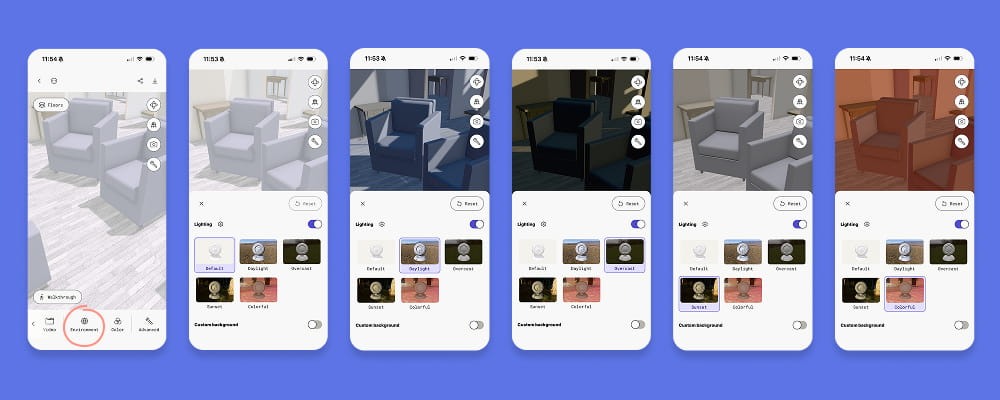
HDRI lighting now available for captures
You can now change the lighting in any capture.
In the bottom toolbar scroll right to Environment and turn on the lighting toggle. Choose from 5 lighting options: Default (neutral white), Daylight, Overcast, Sunset, and Colorful. Adjust intensity by tapping the gear icon.
Custom backgrounds are still available below the lighting controls. Toggle it on to change your scan's background color or add a 360 capture.