AI capture

Turn Any Photo Into a 3D Model Instantly

Every piece of furniture you photograph becomes a 3D asset for your projects. Upload any image and get a professional model ready for presentations, space planning, and client approvals. Finally, design with exactly what you envision.

Start free 7-day Business Trial
Book a demo

AI capture in action

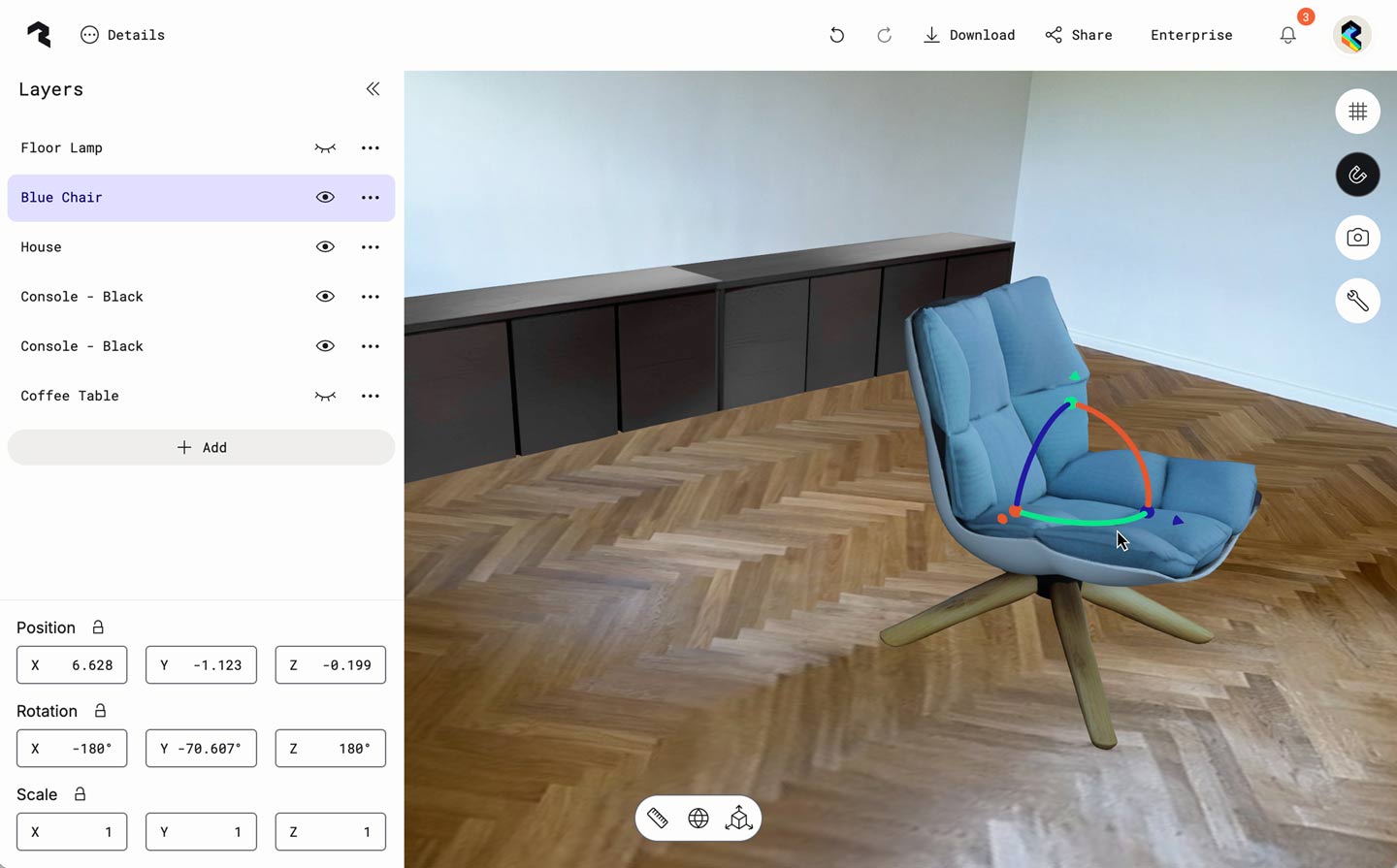
A Polycam Scenes interface showing a modern interior with a blue upholstered swivel chair on herringbone wooden flooring. Behind the chair is a black media console against light colored walls. The left panel of the interface displays layers including "Floor Lamp," "Blue Chair," "House," "Console - Black," and "Coffee Table." Transform controls show the chair's position (X: 2.749, Y: -0.186, Z: 2.646), rotation (X: -180°, Y: 31.282°, Z: -180°), and scale values (all set to 1). The chair is selected, indicated by the colored rotation arrows around it.
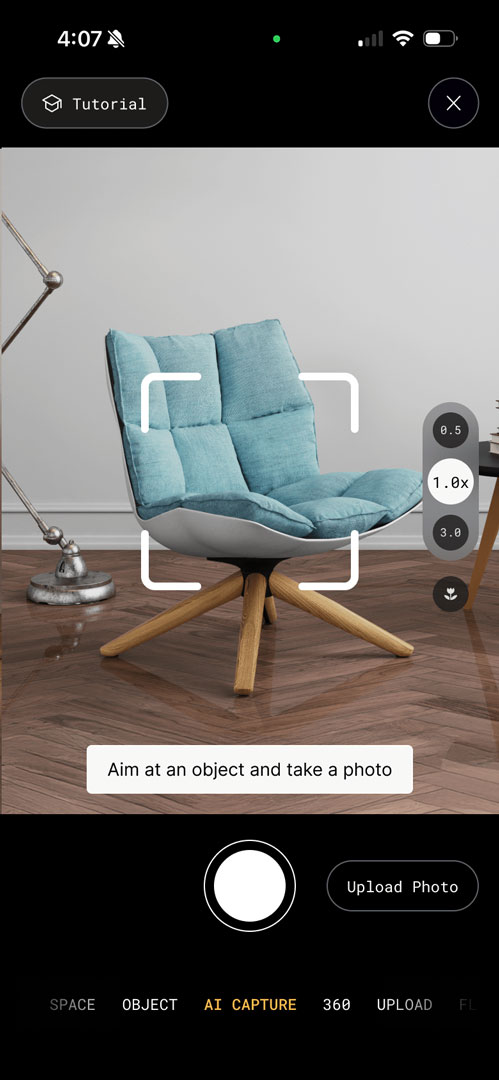
Polycam mobile app showing an in-session capture view of a light blue upholstered chair with wooden legs on a hardwood floor. The interface displays a white viewfinder frame around the chair with the instruction "Aim at an object and take a photo" at the bottom.
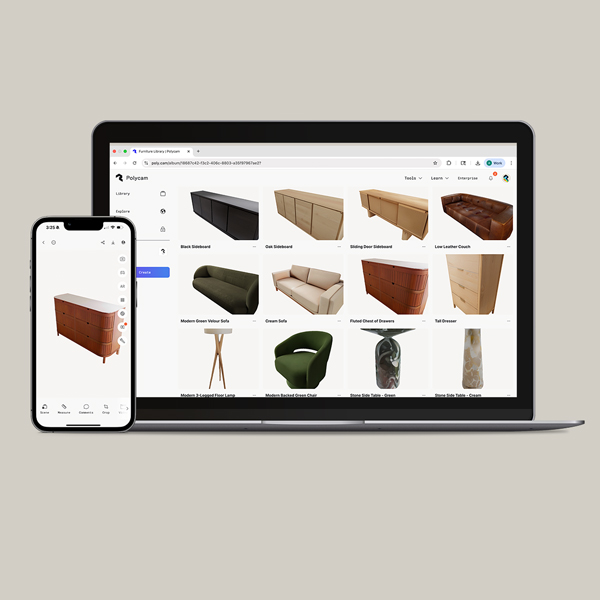
A laptop and smartphone displaying Polycam's furniture model library on a purple background. The laptop screen shows a grid of 3D furniture models including sideboards, sofas, dressers, and other furniture pieces. The smartphone displays a detailed view of a wooden dresser or chest of drawers. Both devices show the same Polycam interface for browsing and managing furniture 3D models.

Build Your Unique Model Library

Stop limiting your creativity to what's available in generic furniture catalogs. Capture that perfect vintage piece from an estate sale, the exact sofa your client fell in love with, or signature pieces from your favorite showrooms. Build a personalized library of 3D models that reflect your unique design aesthetic and give your clients exactly what they envision.

Design Faster, Present Better

Skip the time-consuming hunt through endless asset libraries. Instead of spending hours searching for 'close enough' furniture pieces, create the exact models you need in seconds. From initial concept to client presentation, reduce your modeling time from hours to minutes and focus on what you do best – designing beautiful spaces.

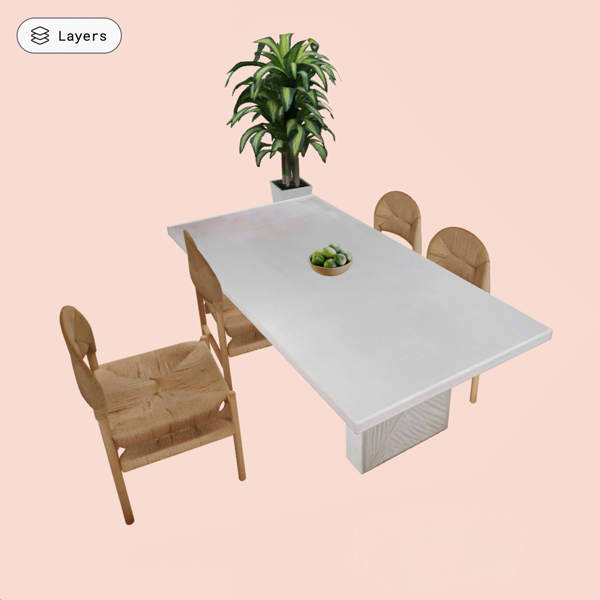
A 3D rendered dining scene featuring a rectangular white marble or light-colored stone dining table with four natural wood chairs with woven rush seats positioned around it. A small bowl of green fruit or vegetables sits on the table's surface. Behind the table stands a tall potted plant with lush green foliage in a dark planter. The entire scene is set against a soft pink background. A 'Layers' interface button is visible in the top left corner, indicating this is a 3D scene created in Polycam.

Create Complete Experiences using Scenes

Scenes lets you combine your photo-generated models with existing Polycam assets or imported furniture pieces into complete room layouts. Present and share your designs in real-time with clients – no complex software or technical workarounds required.

Export to Your Favorite Design Tools

Bring AI captures into any 3D design software. Create and design with confidence - it’s a simple as taking a single photo and doing more with your 3d models.

Get started free
« Nous sommes sur le point de commencer notre vaste chantier de rénovation.

Aucune autre plateforme ne capture autant de données du monde réel

2 pieds2

Real-world spaces scanned to date

500M ft2+

Homes and buildings instantly digitized in 2024

2.6M

File exports generated in 2024 — Delivering seamless integration into CAD, BIM, and visualizaion software

>50%

Fortune 500s use Polycam for reality capture

La moitié des entreprises du Fortune 500 nous font confiance

Detailed

Spatial Data

Every space capture contains instant and valuable spatial data, including: measurements, area calculations, 2D and 3D floor plans, objects & object measurements, and more! Download a sample report.


Capture your
content now.