virtual WALKTHROUGH

Deliver complete site records with photo-rich walkthroughs

Eliminate repeat site visits and lost time with complete visual documentation. Virtual Walkthrough captures high-resolution photos and integrates them directly into your 3D model—so you can read equipment labels, verify conditions, and conduct remote inspections without ever going back. Available now on Business and Enterprise plans.

Start a free 7-day Business Trial
Book a demo

Virtual walkthrough in action

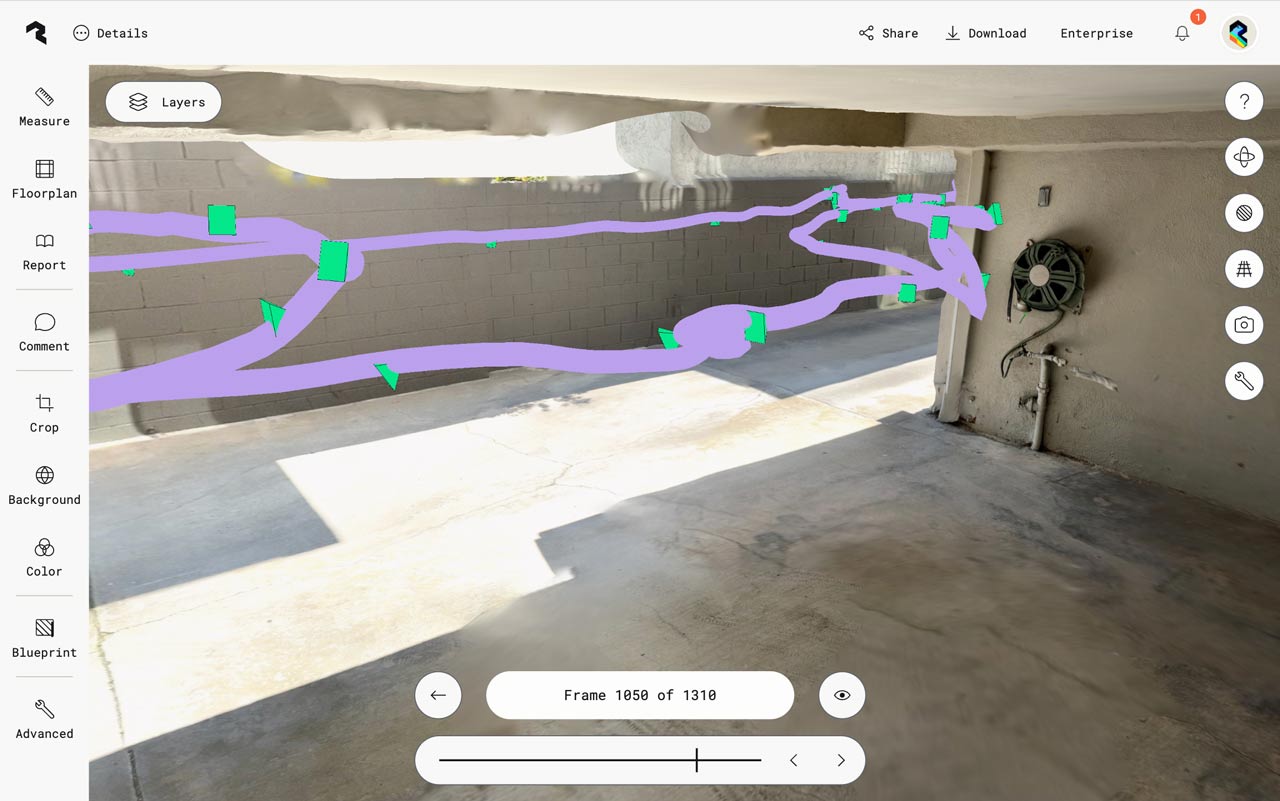
Polycam walkthrough mode desktop interface at frame 1050 of 1310, displaying a basement or garage space with purple spatial mapping overlay and green marker points tracking the camera path. The view shows concrete floors, white block walls, and the same hose reel and plumbing visible in the right portion. Left sidebar shows tools including Measure, Floorplan, Report, Comment, Crop, Background, Color, Blueprint, and Advanced options.
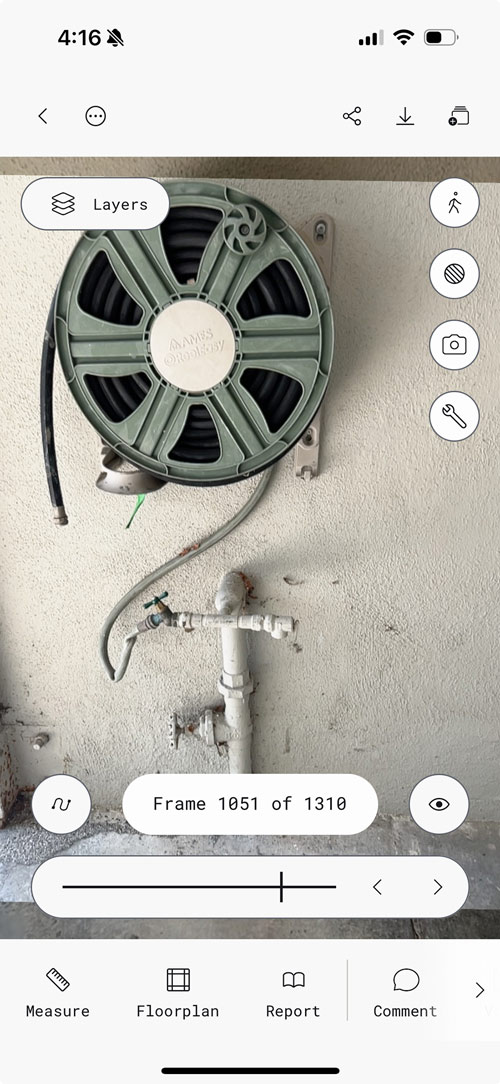
Polycam walkthrough mode interface showing frame 1051 of 1310, featuring a close-up view of a sage green garden hose reel mounted on a textured white wall above white PVC plumbing pipes. The mobile interface displays navigation controls, a Layers button, and bottom menu with Measure, Floorplan, Report, and Comment options.
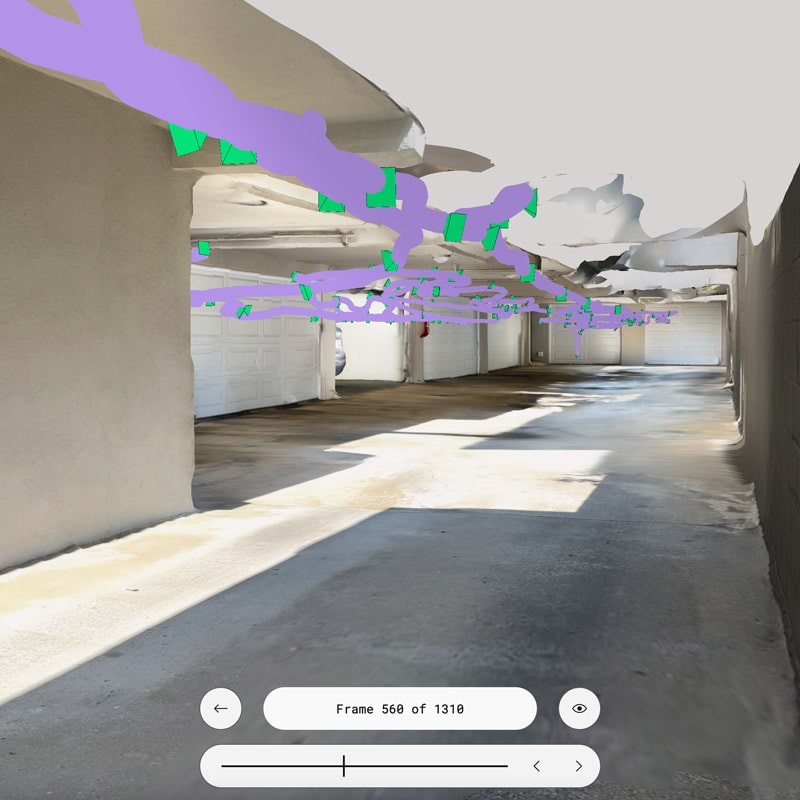
Polycam walkthrough mode interface at frame 560 of 1310, displaying a garage corridor with the camera path visualization overlay. The purple stroke shows the 3D trajectory of the camera movement through the space, with bright green markers indicating key capture points. The view shows concrete floors, white block walls on the right, and exposed ceiling structure.

Retrace your steps for context-perfect navigation

Follow your exact capture path through the 3D model with high-resolution photos positioned precisely where you took them. This spatial context makes it easy to orient team members, verify measurements, and understand how spaces connect—no more guessing where a photo was taken or how areas relate to each other.
Read every label and spot every detail—from anywhere

3D meshes capture geometry, but can miss some fine detail. Virtual Walkthrough fills that gap with crisp photography that reveals what the mesh misses. Read equipment labels and model numbers. Identify thin pipes, wiring, and conduits. Document surface conditions and finishes.
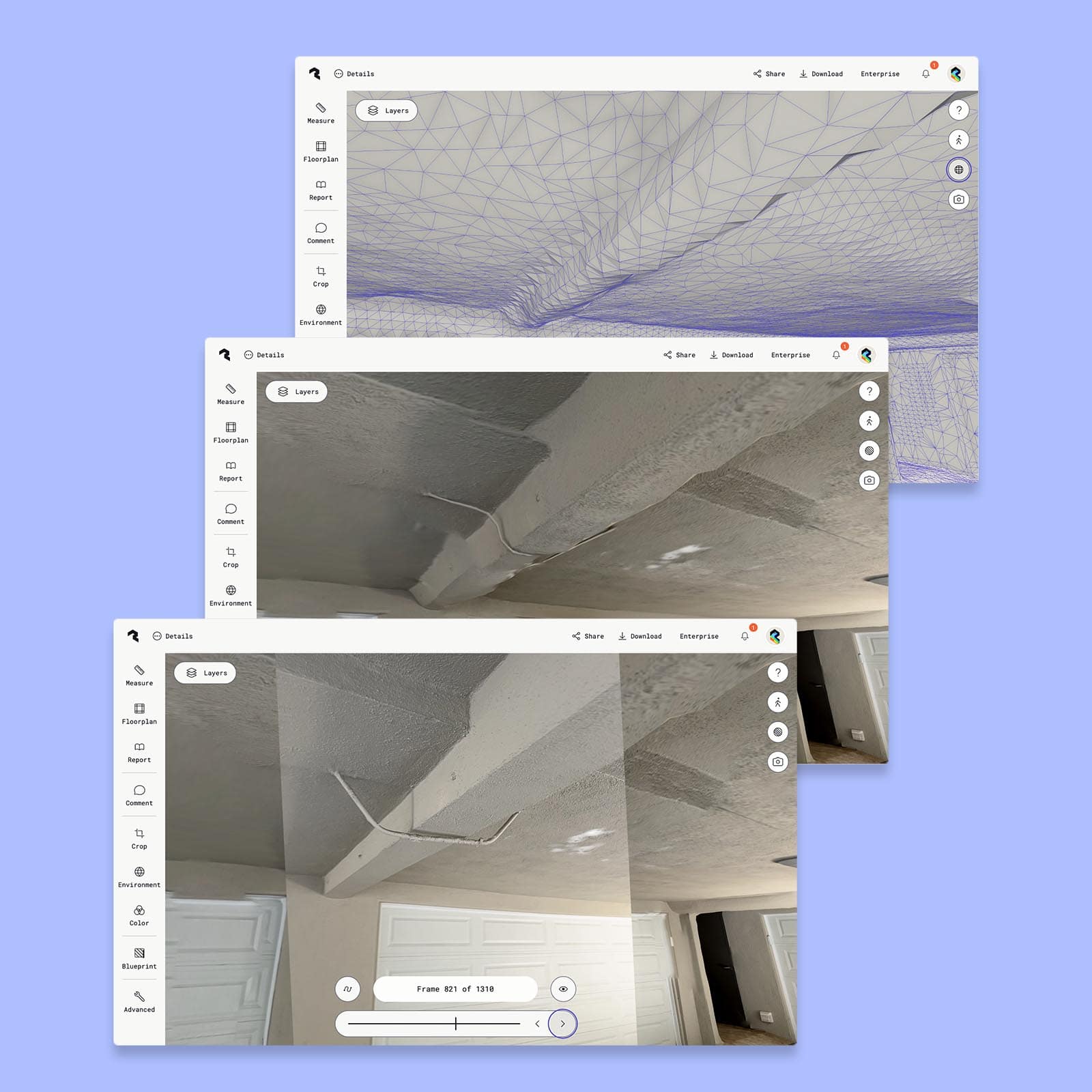
Three overlapping Polycam interface windows showing different views of a 3D scan. The top window displays a purple wireframe mesh view of a ceiling or architectural surface with visible geometric triangulation. The middle window shows a photorealistic 3D rendered view of a textured ceiling with visible cracks. The bottom window at frame 821 of 1310 shows another angle of the same ceiling with a white garage door visible at the bottom and a dark doorway in the upper right corner. Each window includes a left sidebar with tools like Measure, Floorplan, Report, Comment, Crop, Environment, Color, Blueprint, and Advanced options, along with a Layers button at the top.
Polycam interface showing a garage interior with a comment annotation system. The view displays a textured ceiling with visible cracks and an access panel, gray painted walls, and a white garage door in the background. A photographic image is overlaid on top of the 3D scan, showing the actual appearance of the space. Purple numbered markers indicate comment locations throughout the scene, with a comment bubble visible noting structural concerns.

Validate quality and empower remote collaboration

Cross-reference 3D geometry with embedded photos to validate scan accuracy before you leave the digital environment. Quickly identify areas needing attention, confirm measurements, and ensure nothing was missed. Enable seamless remote inspections so engineers, contractors, and clients can conduct thorough assessments without site visits.

Start a free 7-day Business Trial
Book a demo

Customer stories

Teams like yours improve workflows with Polycam

66%

reduction in study cost for clients (vs. traditional methods)

Segtax | Cost segregation for real estate investors

$21,500

average project savings (savings range from $16,000-$27,000)

Jacobs | End-to-end consulting and engineering services

80%

reduction in estimate creation time

4M Construction | General contractor

2 Weeks saved

in Revit model creation per project

JNR Architecture | Design architect
Detailed

Spatial Data

Every space capture contains instant and valuable spatial data, including: measurements, area calculations, 2D and 3D floor plans, objects & object measurements, and more! Download a sample report.


Contact our sales team

We are happy to answer questions and chat about how Polycam can work for your business:

  • Learn how anyone can capture anything in 3D effortlessly
  • Get pricing information
  • Explore use cases for your business
Thank you! Your submission has been received. Our sales team will reach out to you shortly.
Oops! Something went wrong while submitting the form.

Trusted by Half of the fortune 500

Capture your
content now.