Reconstruction API

Send photos from any camera, drone, or device. Get back accurate 3D models from the same engine that powers Polycam.
Trusted by Half of the fortune 500

1
Upload photos
Your product sends photos from any camera, drone, or device.
2
We build the model
Polycam's cloud engine does the work, no hardware on your side.
3
You get the result
The finished 3D model lands back in your system automatically.
Works with any capture source
Drones, phones, cameras, robots
Handles big jobs
Uploads built for very large photo sets
Fully automatic
Your system gets notified the moment a model is ready
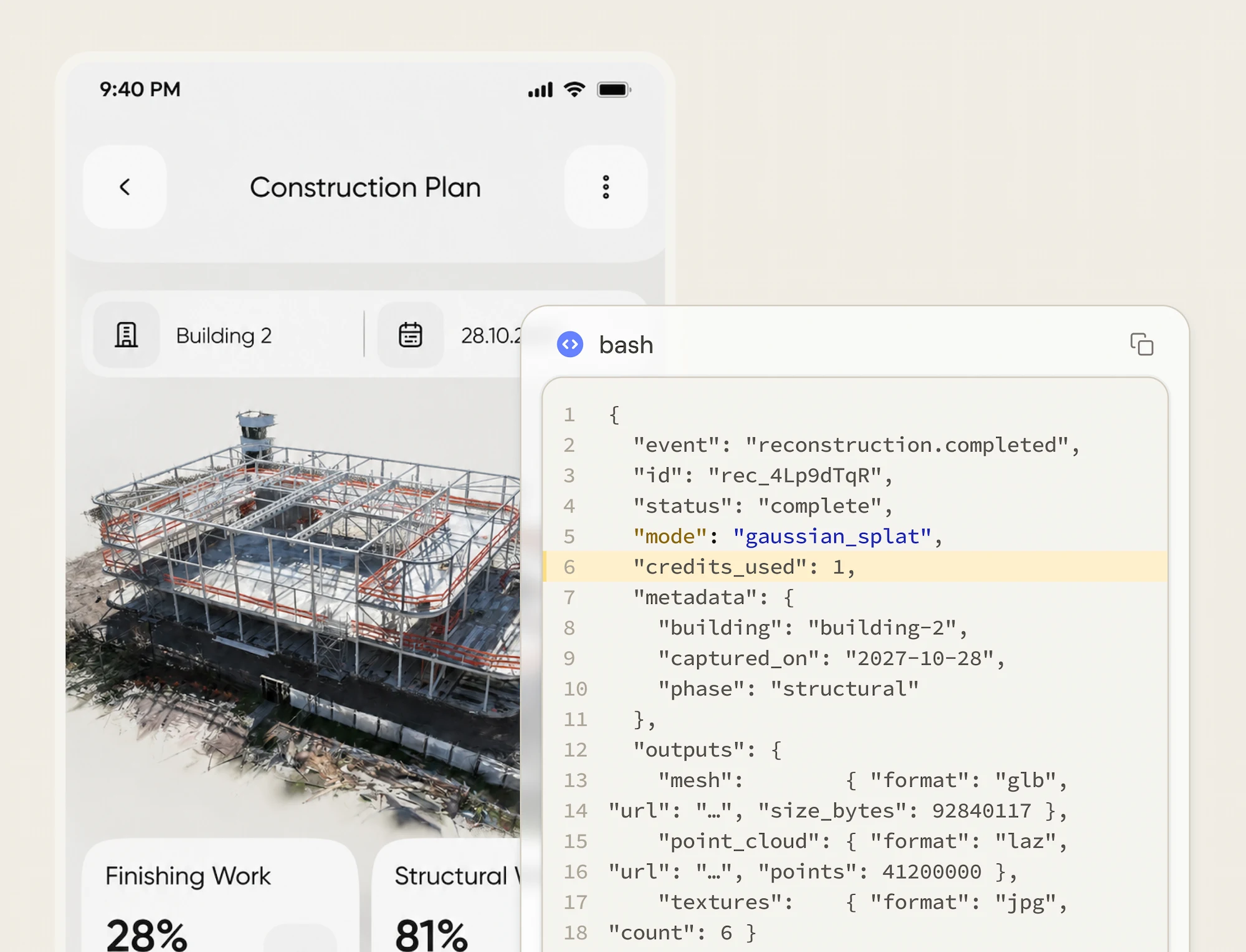
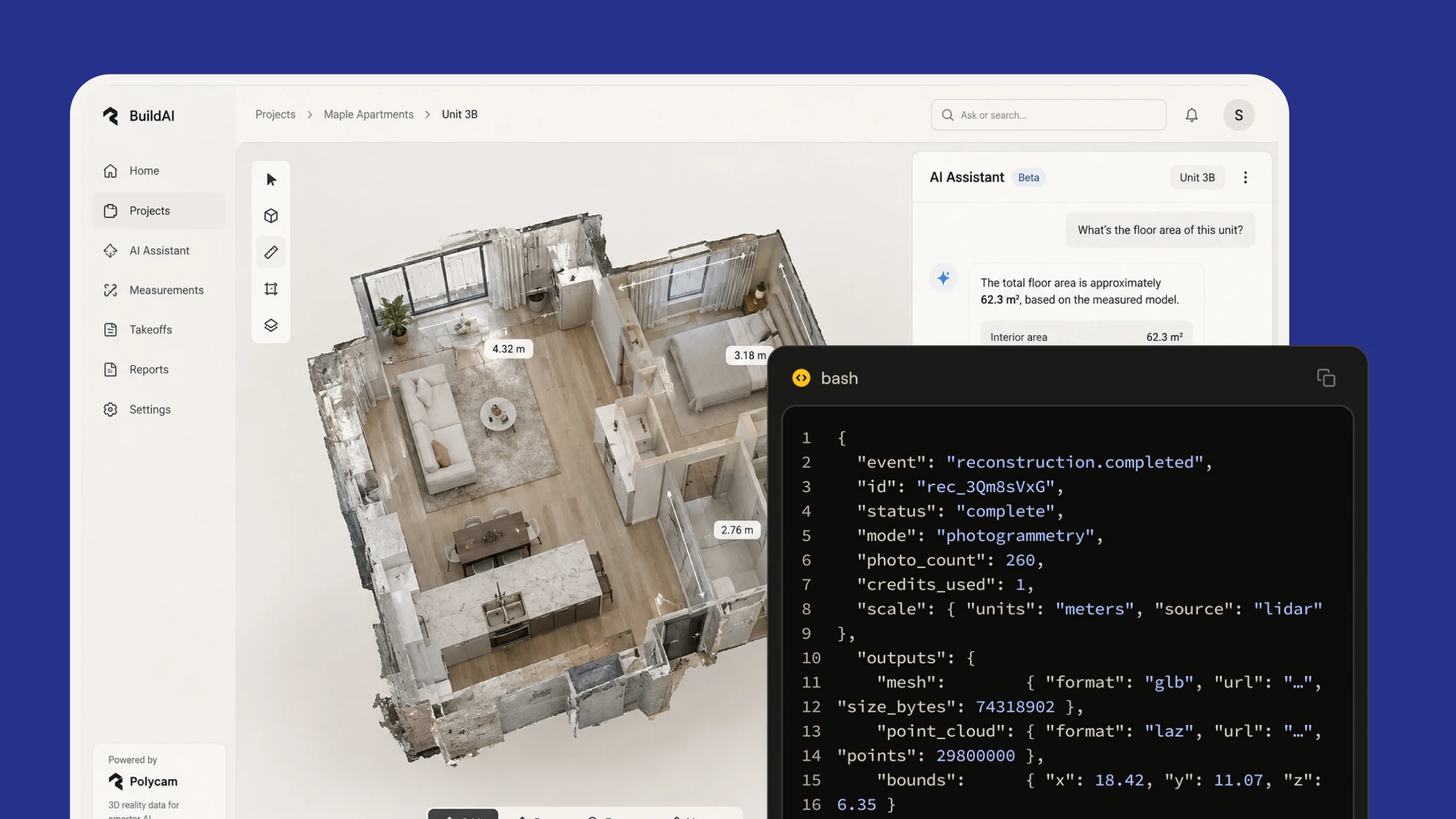
Mobile app screen displaying a construction plan for Building 2 with a 3D structural model and progress percentages for finishing work at 28% and structural work at 81%. Overlaid is a code snippet showing JSON data about a reconstruction event marked complete, mode gaussian_splat, metadata with building, capture date, phase, and outputs including mesh and point cloud details.

What it does

Two outputs, one integration. Send the photos, we handle the rest, your product gets the model.

Click and drag to experience

Photogrammetry

Photos in, accurate 3D models out. Objects, job sites, assets, evidence.

Click and drag to experience

Gaussian Splatting

Lifelike, explorable 3D scenes from photo sets. Built for viewers, product configurators, and digital twins.

What People Build
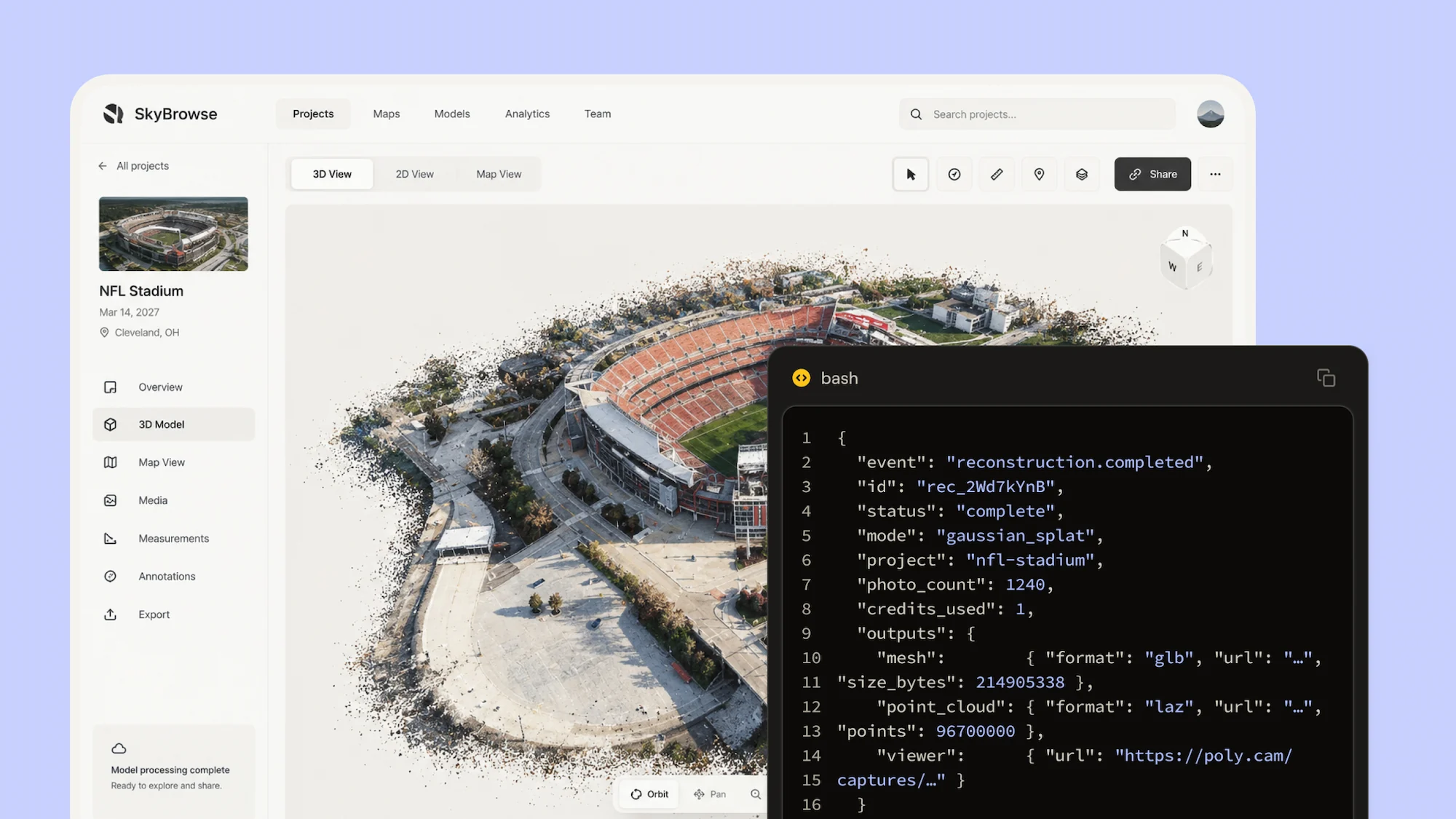
Drone and aerial platforms
Flight photos become 3D models automatically. No desktop processing, no GPU hardware, no per-seat software.

Insurance and claims platforms

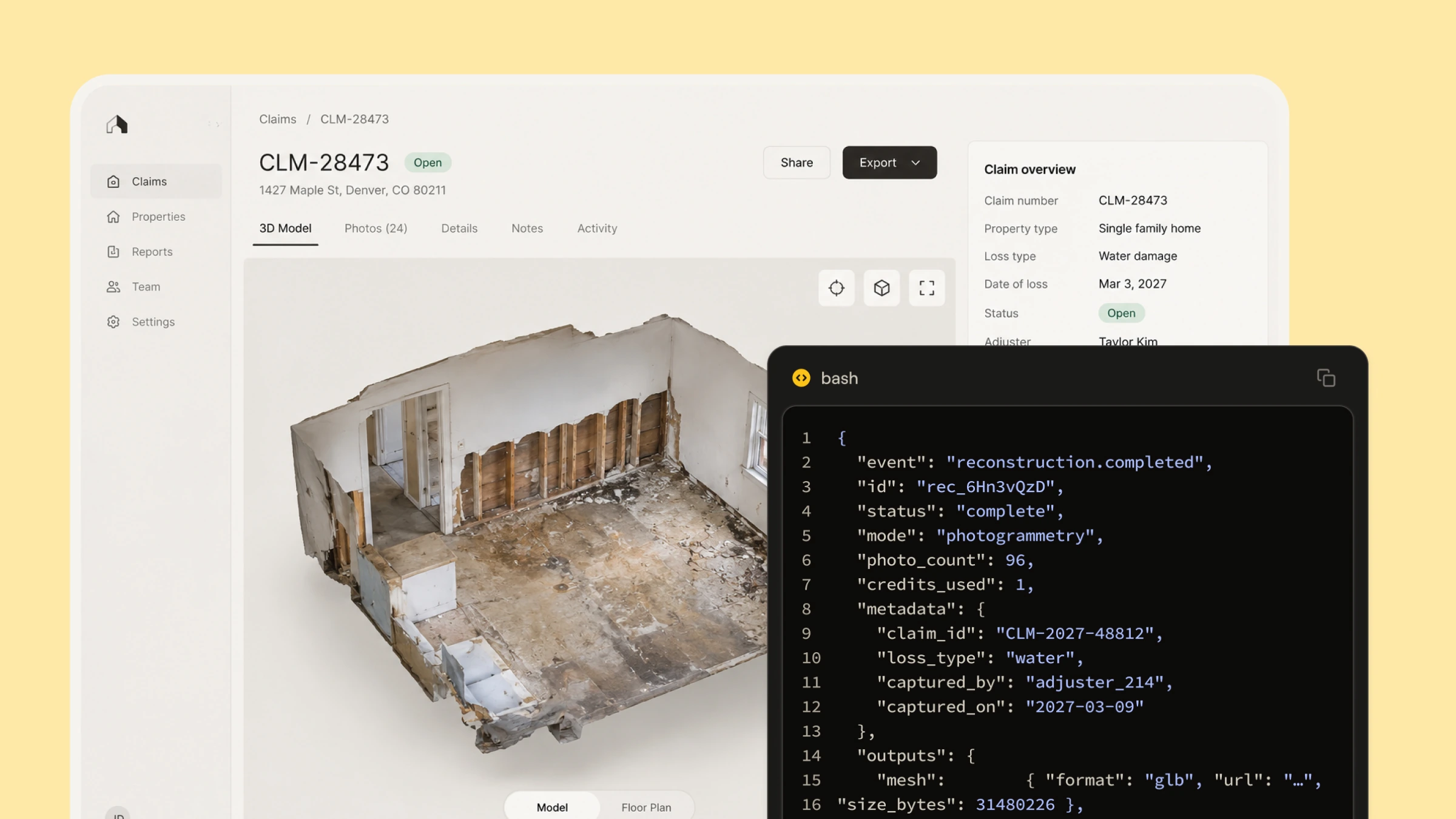
Adjusters capture on any phone; your claims system gets the 3D model back automatically. Documentation flows into the claim, not a camera roll.

Robotics and inspection

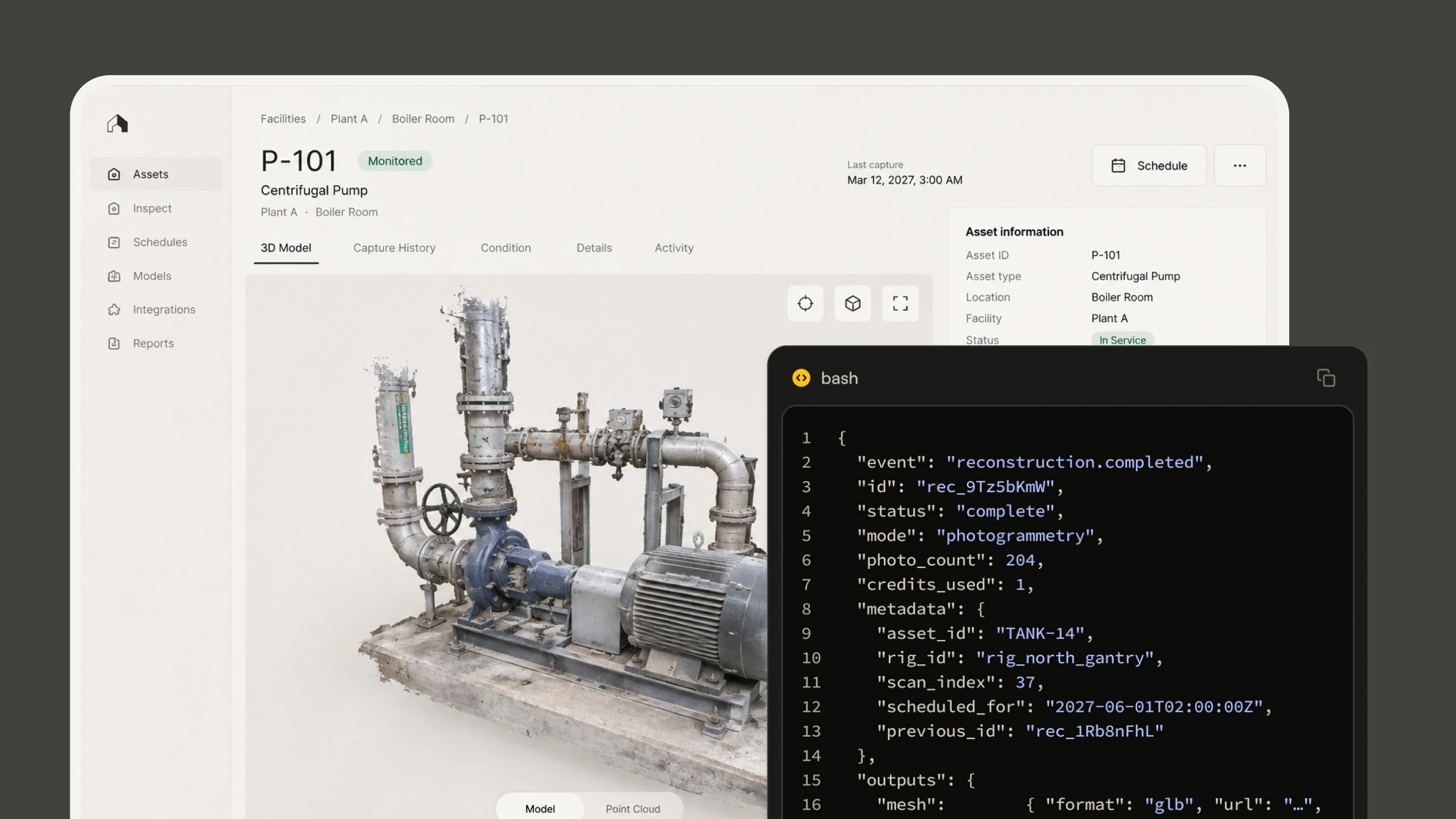
Automated capture rigs collect photos on schedule. Polycam builds the models, results land in your asset system. Condition monitoring without a person in the loop.

AEC software and integrators

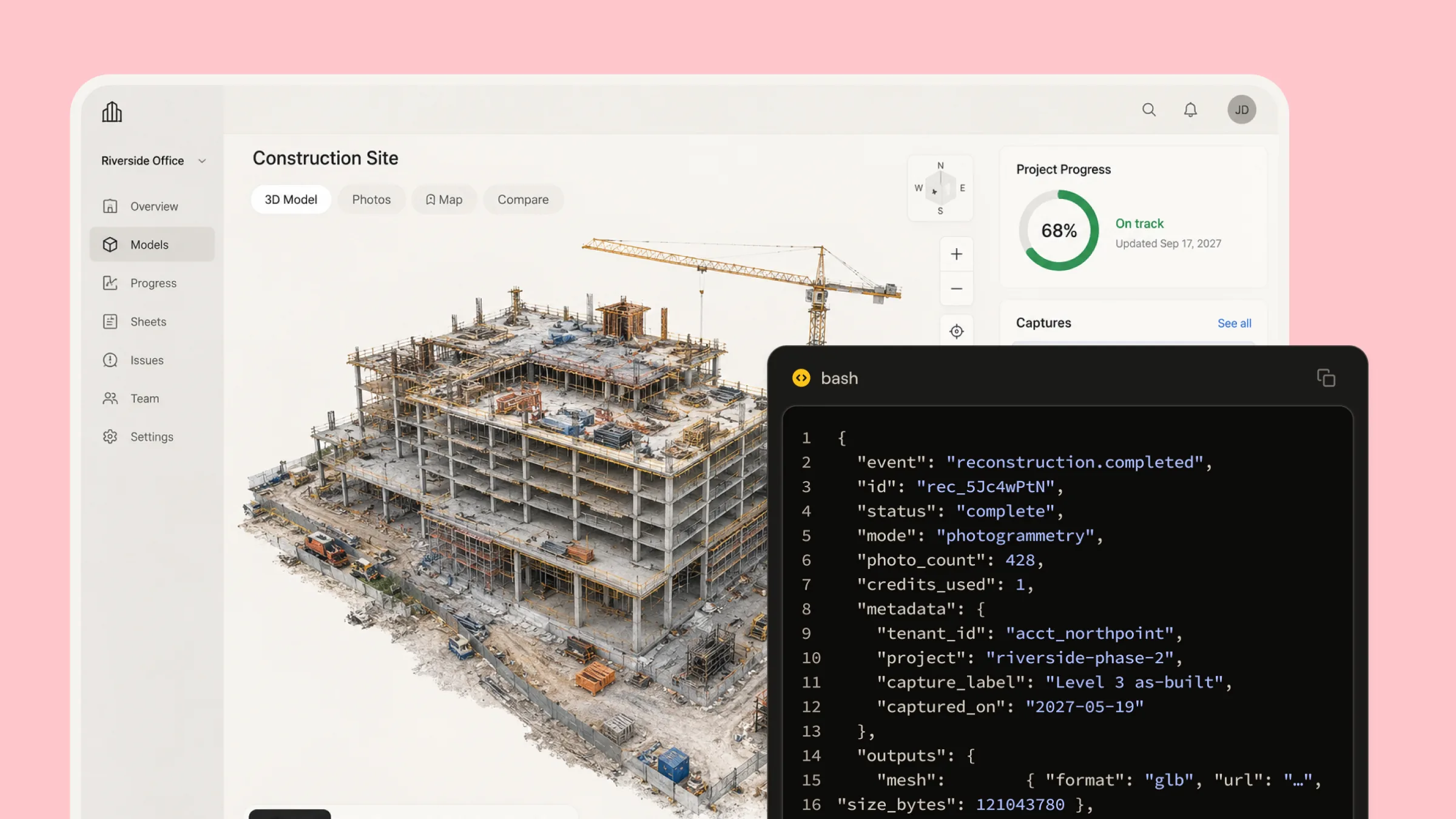
Add capture-to-model to your own product. Site documentation, as-builts, and progress tracking powered by our engine, branded as yours.

AI products and agents

Ground your AI on measured reality. A Polycam model is a measurement, so estimates, takeoffs, and answers built on it hold up. Your AI consumes the output; Polycam makes it.

3D content and simulation

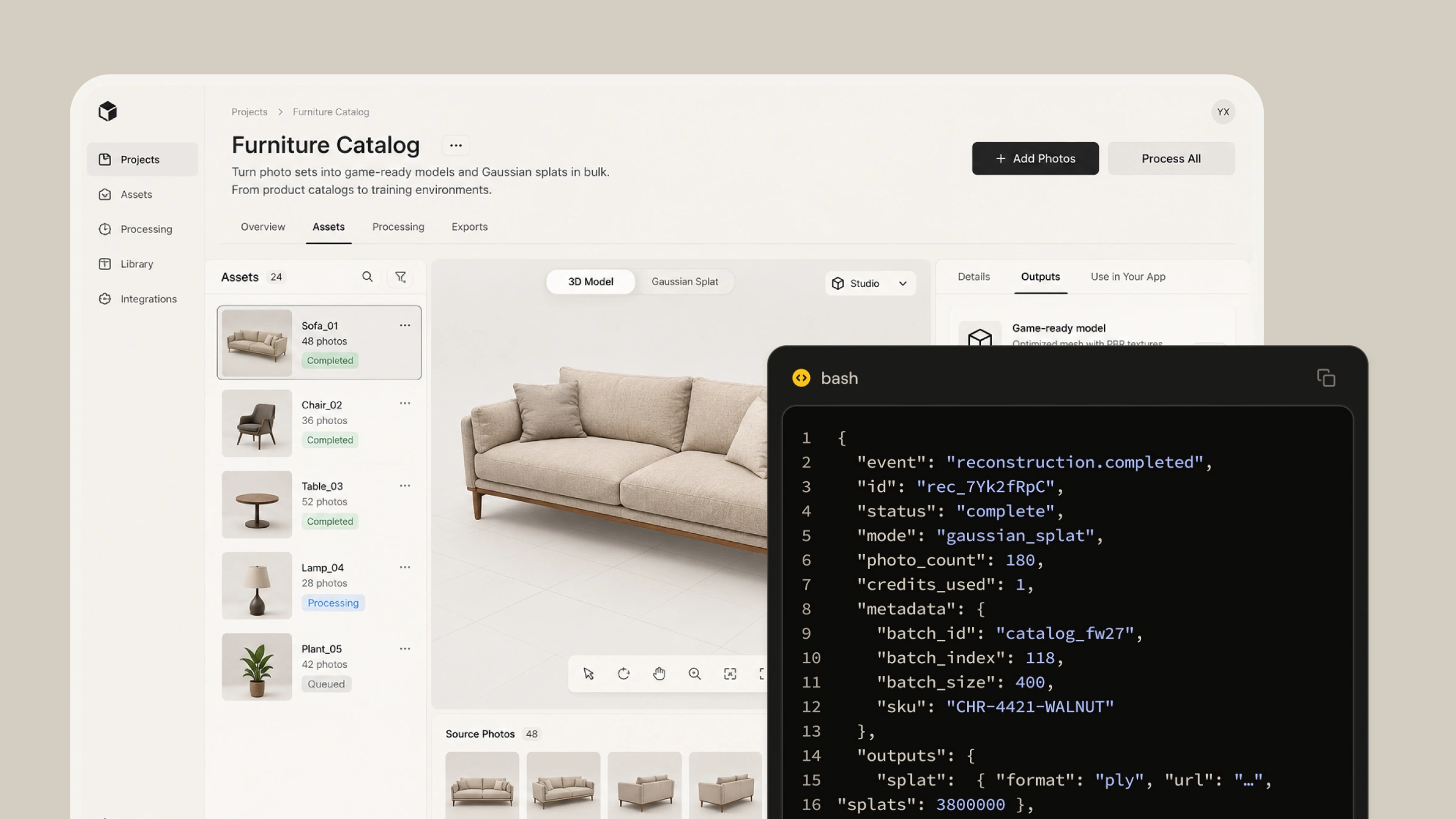
Turn photo sets into game-ready models and Gaussian splats in bulk. From product catalogs to training environments.

Security & Compliance

Icon of a document labeled 'SOC 2 TYPE 1' with a shield featuring a checkmark in front, symbolizing security compliance.

SOC 2 Type I & Type II

Icon of a key, a shield with a padlock symbol, a toggle switch, and two rectangles representing documents, symbolizing security and access control.

Access keys are protected, scoped to your workspace, and can be shut off anytime

Icon showing a document with an upload arrow, a padlock symbol for security, a clock for time, and a crossed-out key indicating restricted access.

Uploads use secure, expiring links; no standing credentials

Icon showing a web browser window with three listed items, each with a signal strength bar, alongside a globe symbol with a check mark indicating verified or secure global internet connection.

Public status page

Icon of a document with code brackets and a downward arrow symbol indicating code file download.

Downloadable API spec for engineering teams

  • The Reconstruction API is in limited availability on Enterprise.
  • You pay per model with prepaid credits. Your balance and full history are always visible.
  • Fair-use limits stated plainly, with a note that approved integrations get higher ones.

FAQs

What do I send?

Photos. Your product uploads a photo set through the API, we return the finished model. No preprocessing, no special file formats, just the images your capture source already produces.

What cameras and devices work?

Any camera that takes photos: phones, drones, DSLRs, robots, fixed-mount rigs. If it produces images, the API can reconstruct from it. There is no hardware requirement on your side.

How long does a model take?

It depends on the size of the photo set. Typical photogrammetry jobs finish in roughly 10 to 45 minutes, and Gaussian splats in roughly 30 to 55 minutes, with very large photo sets running closer to an hour. Actual times vary with image quality, overlap, and how well the photos align, so treat these as estimates rather than guarantees.

How is it priced?

Per model. You buy prepaid credits, each reconstruction draws down a set amount, and your balance and full usage history are always visible in your dashboard. Talk to sales for credit pricing at your volume.

Are there limits?

Yes, and they are stated plainly in the docs: caps on photos per job and concurrent jobs. These are fair-use limits, not a paywall, and approved integrations get higher ones as usage grows.

How do results get into my system?

Automatically. When a reconstruction completes, we send a webhook to your endpoint with the job metadata and secure, expiring download links for every output format. Your product picks up the model without anyone touching a dashboard.

Who owns the data?

You do. Your photos and the models generated from them remain yours, as described in our terms of service (https://poly.cam/legal/terms-of-service).

How do I get access?

Book a demo with the sales team. The Reconstruction API is in limited availability, so our team enables it on your workspace after a short scoping call.

‍