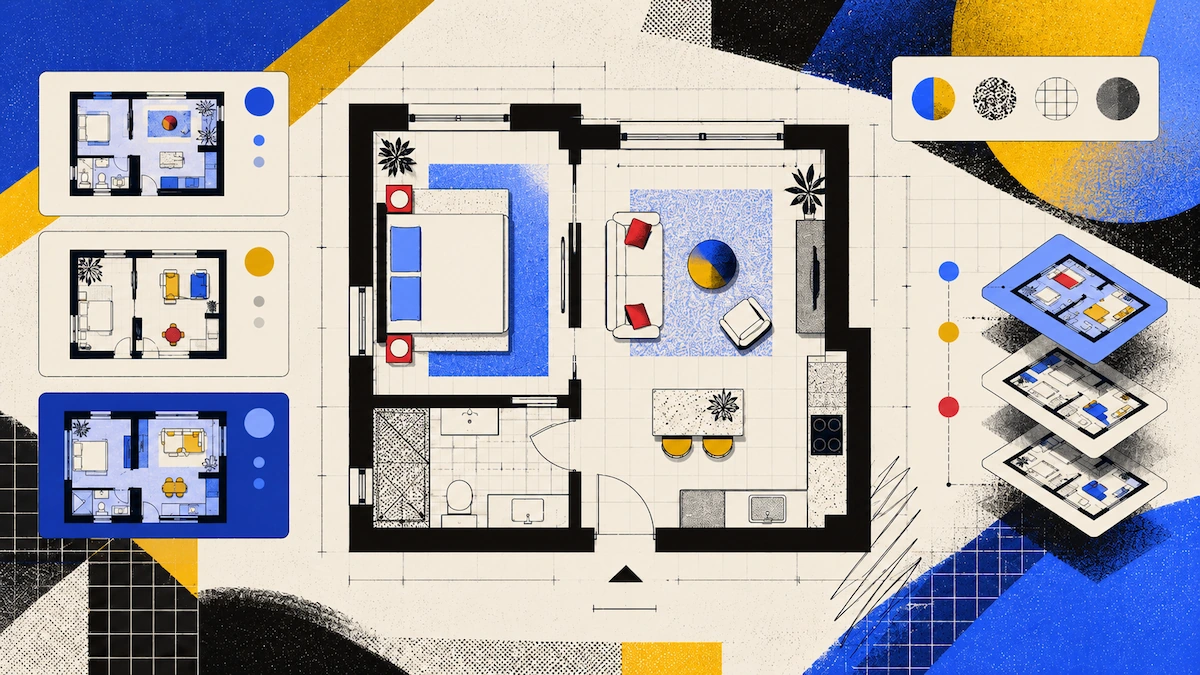
Ever wondered how to make your Airbnb listing stand out and help guests feel confident booking your space? Adding a floor plan image to your photo carousel does just that, letting guests instantly understand the layout and furniture arrangement that photos alone can’t capture. In this guide, you’ll discover the simplest ways to create a floor plan, find the right tool for your hosting style, and see what it costs to level up your listing.
Tools Compared
| Tool | How you get the plan | Furniture shown | Cost |
|---|---|---|---|
| Polycam | Scan, plan generated on device | Detected from the scan | Business $400/yr per user, unlimited plans |
| CubiCasa | Scan, they draft it | Fixed furniture on PLUS, not on Lite | First 2D plan free, then per plan |
| RoomSketcher | Draw the plan yourself | Placed from their library | Pro $144/yr |
| magicplan | Scan or draw | Basic | Project-based, from 10 projects a month |
Why Guests Want a Floor Plan
Photos only show one room at a time. They do not reveal how the rooms connect, which is where a floor plan helps.
Layout. If a guest sees five photos of a two-bedroom apartment, they cannot tell if the second bedroom is next to the living room or down the hall. A floor plan makes this clear right away.
Furniture. Guests want to know where the sofa is, if the dining table seats six, and how the beds are arranged in a room for four. Groups traveling together often care more about these details than about the decor.
Setting expectations. A floor plan helps set honest expectations for a small apartment and reduces surprises when guests arrive.
You don't need to include measurements, and you shouldn't present your floor plan as a technical drawing. It is simply a layout illustration to add to your photo set.
What You Are Actually Producing
You only need a single 2D floor plan image that fits well in your listing’s photo carousel.
You do not need a DXF file, a point cloud, or a 3D model. Just create one clear image per property that shows the rooms, doors, and furniture, and make sure it is easy to read at the size Airbnb uses for photos.
This narrows things down in two ways:
- The format is simple: use a PNG or export a PDF as an image. You don't need CAD software.
- Repeating the process easily matters more than adding extra detail. Creating a plan for one property is a small task, but doing it for twelve properties means you need a tool that makes the job easier each time.
Which Tool Fits Which Host
For multiple properties, Polycam is a better choice. The Business plan lets you create unlimited floor plans instead of paying for each one. Scanning each unit only takes a few minutes, the plan is generated on your device, and the software detects furniture automatically.
If you want a more styled and furnished plan that matches your brand, RoomSketcher is a good fit. Their tools are designed for presentation, and the Pro plan costs $144/year.
If you already use a tool like magicplan for maintenance, it may be a good option since it charges by project instead of by user.
Scanning a Unit
The main goal is to get a clean result on your first try, since you usually do not have time for a second visit during a turnover window.
Step 1: Scan the unit between guests. An empty and tidy space scans better and looks better in the plan. The best time is on turnover day, after cleaning.
Step 2: Open all the inside doors. If a door is closed, the scan won't capture what's behind it.
Step 3: Walk slowly around each room's perimeter. Keep the device pointed at the walls, angled slightly inward, and move it up and down to scan both the floor and the ceiling. Move at about half your normal walking pace. Rotate your body rather than spinning the phone.
Step 4: Make sure to scan the connections between rooms, like doorways, hallways, and thresholds. If you only scan the rooms themselves, you will end up with separate spaces instead of a complete plan.
Step 5: Review the plan before you leave. While you are still in the unit, check that every room is included, no walls are missing, and the furniture is shown in the right places.
Step 6: Make any needed corrections to the plan. Add room labels, and export it as an image for your listing.
The software automatically detects furniture, walls, doors, and windows, which saves time if you have many properties.
What It Costs Across a Portfolio
The Basic plan, at $150 a year, adds measurements and covers one floor plan download per account. To download plans and create unlimited ones, you need the Business plan at $400 a year per user.
If you have several properties, the math changes. One Business plan covers all your listings, so the cost per property goes down as you add more units.
Other Uses for the Same Scan
While the main reason for scanning is to create a floor plan, the scan can be useful for other purposes too.
Cleaner and maintenance briefing. You can share a link so cleaners or contractors can view the unit before they arrive. This works with any plan, even the free version, and the recipient does not need an account or app.
Turnover condition records. Scanning the unit between guests gives you a timestamped record of how it was furnished and arranged. If something is damaged or missing, you have proof of its previous state.
Remote management. If you manage properties you do not visit often, a scan is quicker to check than sorting through photos when someone needs to know where something is or if a piece of furniture will fit.
FAQ
Do I need measurements on an Airbnb floor plan?
No. A listing plan is a layout illustration showing how rooms connect and where the furniture sits.
How long does it take to scan an apartment?
Minutes per room, so a one or two-bedroom unit is a short job. The scan fits inside a turnover window after the clean.
Which plan do I need to download a floor plan?
Business, at $400 a year per user. The free tier generates a plan you can view but not download, and Basic covers one floor plan per account.
Can I use the same scan for anything else?
Yes. A shared link works on any plan and lets cleaners and contractors see the unit before arriving. The capture also works as a timestamped record of how a unit was furnished, which is useful for damage claims.
Should I show furniture on the plan?
Yes, since that is much of the value to a guest. Polycam detects furniture from the scan. On CubiCasa, fixed furniture comes with their PLUS package rather than the free Lite plan.