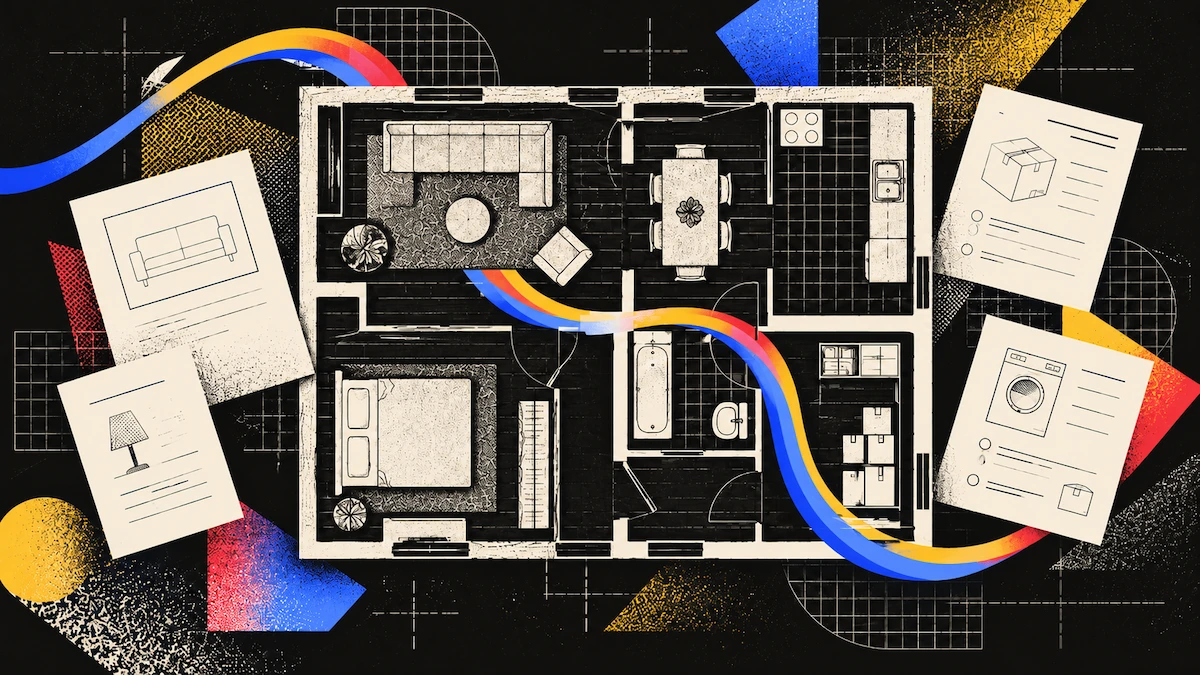
Insurance companies want a home inventory, not a floor plan. A home inventory lists what you own in each room, with photos and values, and is what supports a personal property claim. A scan can’t replace an inventory, but it does capture two things an inventory might miss.
What Each Document Does
| Home inventory | Floor plan and scan | |
|---|---|---|
| Records | Possessions, with descriptions and values | The structure, room sizes and layout |
| Supports | Personal property claims | Rebuild and repair scope |
| Needs | Photos, model and serial numbers, purchase dates | One capture per room |
| Asked for by insurers | Yes | Not routinely |
| Free tool | NAIC Home Inventory App, iOS and Android | Scanning and viewing are free on any plan |
The Inventory Comes First
Go through each room, writing down what’s inside, and taking photos or videos of everything. Be sure to include valuables, and make your inventory before anything happens, not after.
Details make it possible to claim an item. Include a description, an estimated purchase date, and a model or serial number if you have one. A photo of a rating plate is more useful than just listing the item.
Keep your inventory somewhere outside your home. The NAIC suggests storing it at work, in a safe deposit box, at a relative’s house, or online. If your inventory is destroyed in a fire, it won’t help you.
Check your inventory every year, including the photos.
Don’t forget to include items that aren’t in your house. The Insurance Information Institute says belongings in a self-storage unit are also covered by your homeowners policy, so add them to your list.
Even a partial inventory is better than none. The III suggests starting with a small area, like one cupboard or shelf, and working through your home bit by bit instead of trying to do it all at once.
The NAIC publishes a free Home Inventory App for iOS and Android that organizes items by room and category. If you do one thing off this page, do that.
What a Scan Adds
A scan gives you a record of your home’s structure, including room sizes, floor and wall areas, ceiling heights, and where doors and windows are. Personal property claims focus on your belongings, but fire or flood claims also involve the building itself. A Spatial Report provides these measurements, so you don’t have to measure a damaged room by hand.
A scan also records how each room looked at a certain time, keeping the space and its contents together. If your inventory is missing details, a video or photo walkthrough helps you remember what was there.
However, a scan won’t give you values, purchase dates, or serial numbers. It only provides measurements for detected furniture, not their history. That’s why you still need an inventory.
Capturing the House
Make sure to scan the contents of each room, not just the empty space. For insurance, the items in your home matter most, so scan around and behind furniture instead of seeing it as an obstacle. The III recommends photographing entire rooms, closets, and drawers as well as individual items, which a scan can do all at once.
Be sure to open closets and cupboards. Many unlisted items are stored there, and if the doors are closed, they won’t be recorded.
Photograph the rating plates separately. Appliance model numbers, serial plates on equipment, anything with an identifier.
Don’t forget to scan built-in features like fitted kitchens, wardrobes, bathroom suites, flooring, and cornices. These are part of a structure claim, not a contents claim, and they’re often hard to describe from memory.
Add the date to your scan. This creates a record of your home at a specific time. Update your scan after any renovations or major purchases.
After a Loss
Document all damage before you start cleaning up. Take photos and videos of all damage, and make a list of what was lost or damaged.
If you don’t have an inventory, make your list room by room.
Check which insurance policy covers each loss. For example, if your car is damaged in the garage, auto insurance covers it, not homeowners. If you have different providers, you’ll need to file claims with both.
Your insurance company’s adjuster is free. A public adjuster offers similar help but charges a fee. Make sure you know which type of adjuster you’re dealing with.
If you scan your property now, you’ll have a record of its condition before repairs start. This is different from a scan taken before the loss, but it’s still valuable.
The Professional Side of a Claim
Your adjuster and any restoration contractor will use Xactimate, the standard tool for estimating property loss, to plan repairs. They base their estimates on a sketch of your rooms, which provides the measurements for each repair item.
A floorplan capture can become that sketch. Polycam exports ESX, the Xactimate file format, at $11.99 per export with no monthly minimum and no credit packs to buy up front. The export is available on every plan, including the free one, from iOS, Android or the web, because it is a per-file purchase rather than a subscription feature.
Three things to know before buying one. The ESX file itself opens in Xactimate on Windows. Each purchase is tied to that version of the floorplan, so finalize your edits before buying. And the fee is not refundable once the export starts.
There is a manual route as well. Export the plan as a PNG, bring it into Xactimate as an underlay, scale it against your measurements, and trace the rooms with Xactimate’s own tools. Slower, and it costs nothing.
For a homeowner, the useful part is knowing the scope exists and is built from measured rooms. Your room areas let you check it covers everything.
Where to Keep It
Your scan is already stored off-site in your Polycam library, not just on your phone. This means you won’t lose your record if you lose your phone.
You can share your Polycam scan with a link that opens in any browser, without needing an account or extra software. This makes it easy for an adjuster or contractor to view your scan without you having to send files.
With the inventory, not instead of it. These are two documents that answer different questions, and a claim usually needs both.
FAQ
Do insurers accept a floor plan for a claim?
Insurers need a home inventory or a list of damaged and lost property. A floor plan and scan support the structural side of a claim and help reconstruct an inventory, but they don't replace one.
How do I create a floor plan for home insurance?
Scan each room, capturing the contents and opening closets rather than recording only the walls. A Spatial Report gives room areas, ceiling heights, and opening dimensions, which is the information a rebuild scope is quantified in. Keep it stored outside the house.
What should a home inventory contain?
A room-by-room list of possessions with photographs or video, descriptions, approximate purchase dates, and model or serial numbers where they exist. NAIC recommends covering valuables specifically and reviewing the inventory annually.
Is there a free tool for this?
The NAIC publishes a free Home Inventory App for iOS and Android that organizes items by room and category. Scanning and viewing a capture are free on any Polycam plan; downloads and the Spatial Report sit on Business.
What if I never made an inventory and have already had a loss?
Build the list room by room from memory, which NAIC treats as the expected approach in that situation, and review any photographs taken inside the home, including ones held by family or friends.
Should I clear up before photographing the damage?
No. NAIC advises documenting all losses before removing debris or belongings, because the claim is assessed against the damage record.
Does a scan record item values?
No. Detected furniture and appliances return dimensions rather than purchase dates, prices, or serial numbers. Those belong in the inventory.