Choose your platform before you start scanning, since this affects how you export your data and whether you need to model it first. Focus on capturing the assets, not just the space, tag anything the mesh misses, and export a point cloud. This guide explains each step and the costs involved.
Decide the Destination First
The two main platforms require different types of data, which affects how you scan from the start.
| Autodesk Tandem | NavVis IVION | |
|---|---|---|
| Accepts | Revit 2017 and later, IFC | PTX, PLY, PTS, XYZ, E57, plus BIM models |
| Your export | LAS, converted through Autodesk ReCap, then modelled in Revit | PLY, PTS or XYZ, straight in |
| Step in between | Scan-to-BIM modelling | None |
| Entry cost | Free tier, then $405/month | Core from $2,150/year |
Tandem requires a model. Since Autodesk does not support point cloud imports, you need to turn your scan into a Revit model before uploading it. Plan for the time needed to model, and for the cost of ReCap Pro at $405 per user per year or Flex tokens starting at $99.
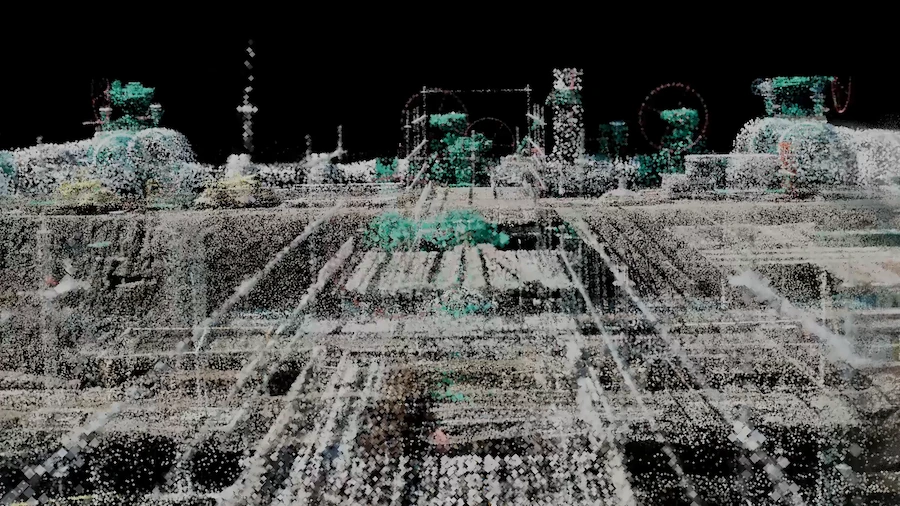
IVION accepts point clouds directly. Three Polycam export formats can be used without conversion. Keep in mind that normals are only generated from E57 files with sensor origins, and NavVis does not support normal generation for other formats.
What a Twin Needs That a Floor Plan Does Not
A floor plan shows the outer structure, while a digital twin focuses on the items inside. This changes what you need to capture.
Capture the assets, not just the walls. This includes air handling units, panels, valves, meters, and pumps. These are the items the platform tracks and facilities teams look for.
Record each asset’s identity. A mesh only holds the shape, not the serial number. You will need to add model numbers, asset tags, and nameplate data separately, as explained below.
Include the condition of each asset and the date you captured it. A digital twin is only useful if the date stays with the data.
The number of assets affects the price. Tandem’s free plan allows up to 500 assets, and the paid plan goes up to 10,000. Count your assets before choosing a plan.
Before You Scan
If there is an asset list, get it before you start. A maintenance schedule or existing register shows what the platform should find and where each item is located.
Set the boundaries for each zone. Twin platforms organize data by facility, level, and space. Plan your capture sessions to match this structure instead of splitting zones in the middle.
Make sure you can access plant rooms and risers. These areas are often locked and may require an escort, but they are essential for the digital twin. Schedule access in advance.
Check the lighting in areas that are usually dark. Plant rooms, risers, and ceiling spaces often have no lights. Since tracking uses the camera even with LiDAR, bring a work light.
Capture the Envelope
Walk slowly around the edge of the room with your device angled toward the center. Scan from floor to ceiling, not just at eye level, because a digital twin needs both the ceiling and the floor.
Scan doorways, corridors, and spaces between rooms from both sides. This helps connect separate scans into a single building model.
Double-check each room before leaving. If you find a gap while still on site, it only takes a few minutes to fix. If you find it later, you may need to arrange another visit.
Capture the Plant and Service Areas Properly
Spend more time scanning plant rooms than the lobby. Digital twins are used for operations, so spaces like the boiler room, electrical intake, and pump room hold important assets. Scan these areas as thoroughly as you would a public space.
Scan risers and ceiling spaces wherever you can access them. Facilities teams often do not have drawings for service routes between floors. If you can lift a ceiling tile, scan the area above it.
Scan equipment from multiple angles. If you only scan the front of an air handling unit, it looks like a box. Scanning from three sides lets people see access panels and connections, making it easier to identify.
Make sure to capture equipment labels in your photos. Even if the mesh does not show them clearly, the original photos will have the nameplate information.
Capture Asset Identity
Automatic detection does not find plant equipment. The Spatial Report can detect furniture, fixtures, and appliances, giving their dimensions, but it will not pick up plant equipment like air handling units or distribution boards. You will need to identify these items manually.
Tag assets using Comments. You can pin a comment to a specific spot in your scan, add threaded replies, and track which items have been handled. Tap the asset, enter the model and serial number, and the note will stay attached to that location. Comments are available on all plans, including the free one.
Use Virtual Walkthrough to view details that the mesh missed. This feature retraces your scan path and shows the original photos at each spot. You can read nameplates, model numbers, or small details from the photos if they are not clear in the mesh. Virtual Walkthrough is available on Business and Enterprise plans.
Export for the Destination
Point cloud exports are only available on Business and Enterprise plans. Formats like PLY, LAS, PTS, and XYZ require these tiers. The free plan only exports GLTF, and the Basic plan adds mesh formats but not point clouds. Both digital twin platforms need a point cloud, so you cannot use the free or Basic plans for this.
For IVION, export PLY, PTS, or XYZ and upload directly.
For Tandem, export LAS, convert through Autodesk ReCap into RCS or RCP, link it into Revit, model the as-built, then import the model.
Include the date and any relevant conditions with your export. A digital twin platform may store your scan for years, so future users need to know when it was captured and what areas were accessible at that time.
If this is your first time, you can use the 7-day Business trial to scan a facility and create exports before choosing a paid plan.
Plan the Recapture Now
A digital twin becomes outdated as the building changes. If you do not update your scan, it turns into a historical record instead of a current model.
Set your rescan schedule during your first capture. Record your session boundaries and route so you can repeat them later. This makes future scans comparable, not just sequential.
FAQ
What do I need to scan a room for a digital twin?
A LiDAR-capable device, access to the plant and service areas, a way to tag assets that the mesh cannot identify, and a Business or Enterprise plan for point cloud export. Decide which platform the data is going into first, because Tandem needs a modeled BIM file and IVION takes the point cloud directly.
Does Polycam detect equipment automatically?
It detects furniture, fixtures and appliances in the Spatial Report, each with dimensions. It does not detect plant equipment, so you need to identify air handling units, panels, and similar assets by hand.
How do I record a serial number in a scan?
Pin a Comment at the asset and type it in. Comments attach to a location on the capture, support threaded replies, and are available on every plan. Virtual Walkthrough also lets you read the nameplate from the original photography, on Business and Enterprise.
Which plan do I need?
Business or Enterprise, because point cloud exports sit there and both platform routes need one. The free plan exports GLTF only, and Basic adds mesh formats without point clouds.
How often should I rescan?
Often enough that the model still matches the building. Set the interval during the first capture, and record your route and session boundaries so the second pass is comparable.
What should I capture that I would skip for a floor plan?
The plant rooms, risers, ceiling voids, and equipment nameplates. A floor plan needs the envelope. A twin needs the things inside it that somebody will later search for.